

سلام و وقت بخیر
یک ورک فلو درست کردم امید وارم صحیح باشه
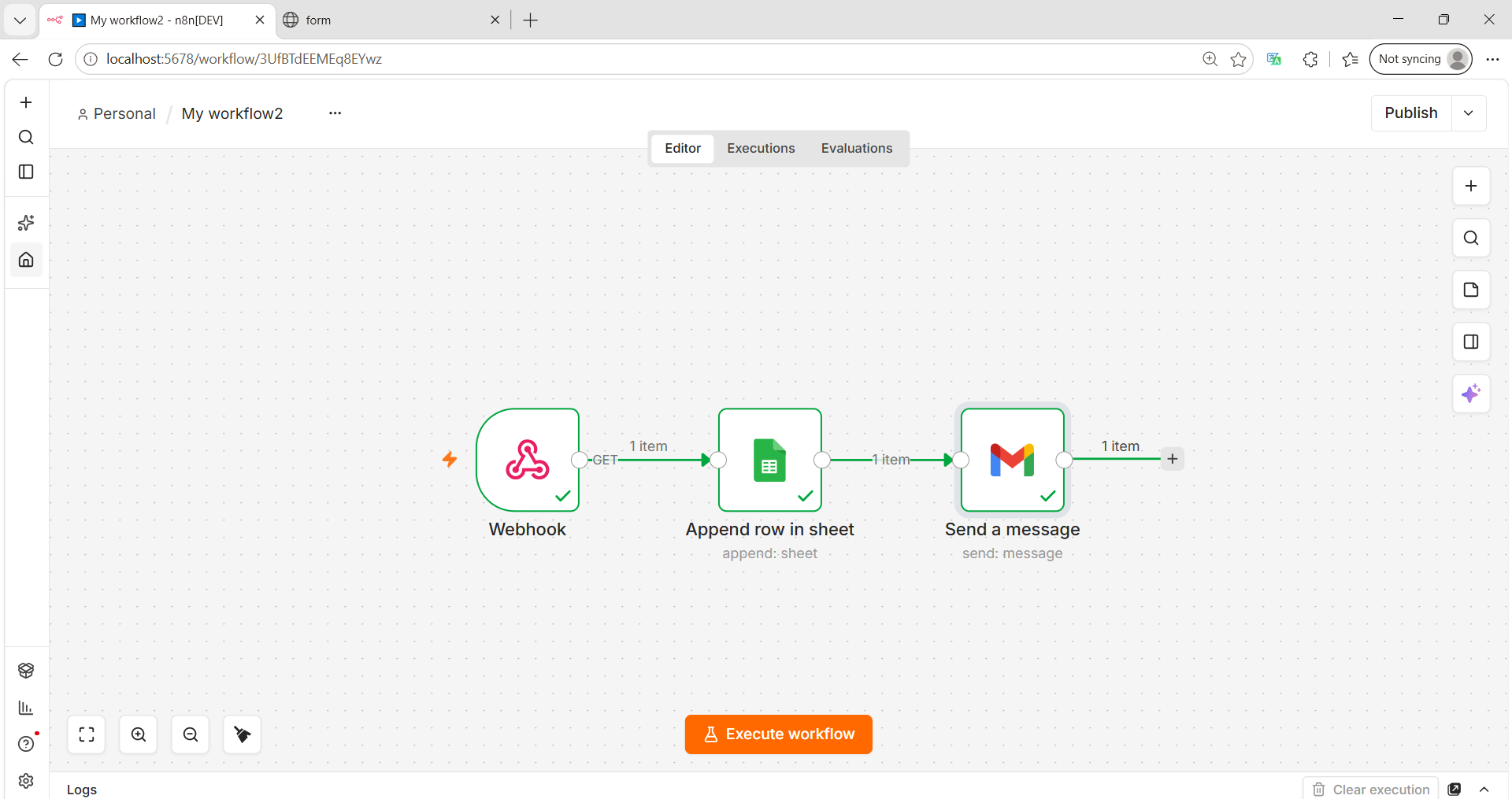
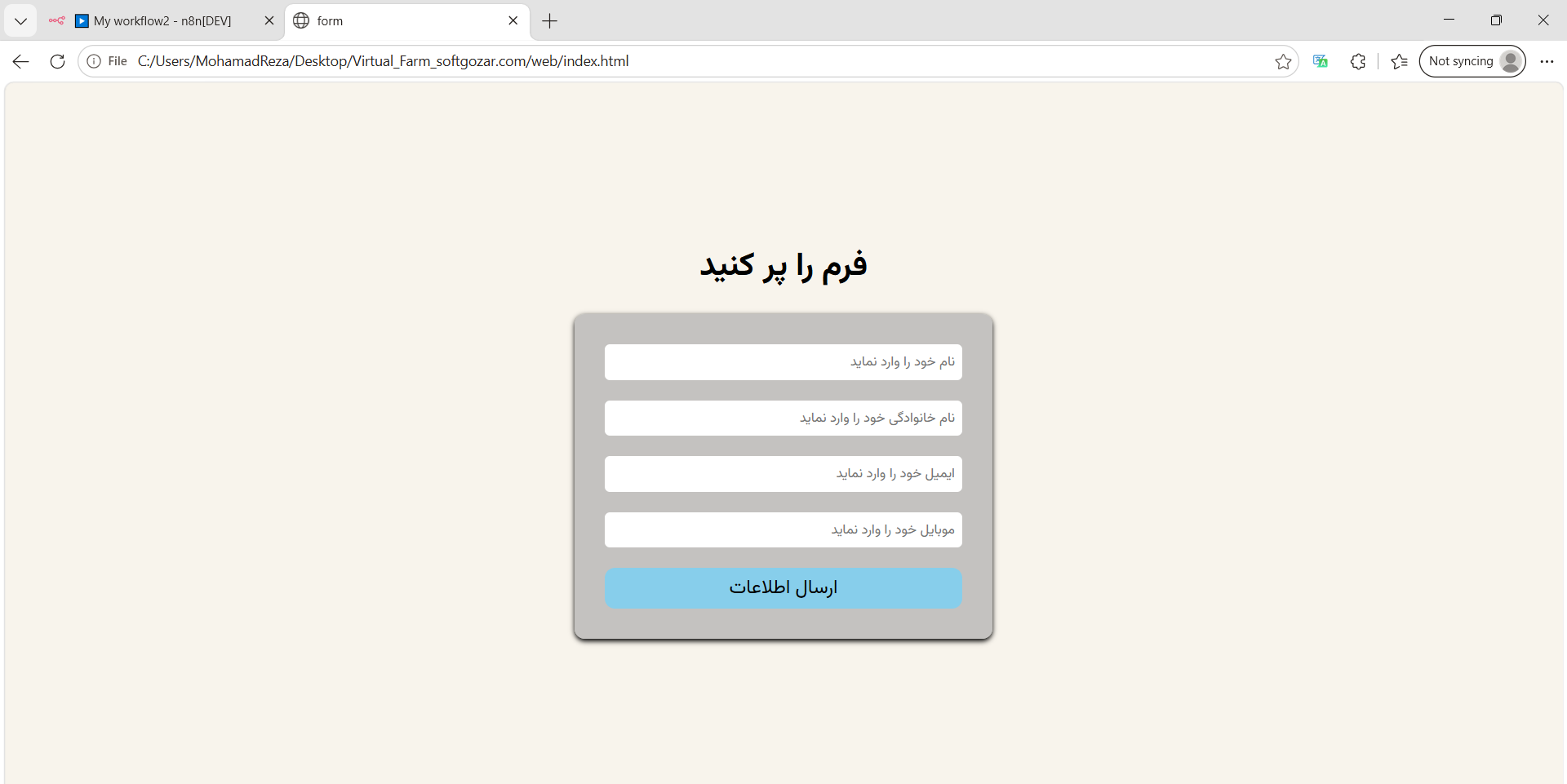
//اینم کد ها کسی خواست
<html lang="en" lang="fa" dir="rtl">
<head>
    <meta charset="UTF-8">
    <meta name="viewport" content="width=device-width, initial-scale=1.0">
    <link href="https://cdn.jsdelivr.net/gh/rastikerdar/vazirmatn@v33.003/Vazirmatn-font-face.css" rel="stylesheet" type="text/css" />
    <title>form</title>
    <style>
        *{
            font-family: Vazirmatn ,sans-serif;
        }
        body{
            background-color: #F8F4EC;
        }
        .out
        {
            display: flex;
            flex-direction: column;
            justify-content: center;
            align-items: center;
            height: 90vh;

        }
        .in
        {
            background-color: #aaaa;
            padding: 30px;
            border-radius: 10px;
            line-height: 30%;
            box-shadow: 0 2px 5px 0 black;

        }
        input{

            margin-bottom: 20px;
            padding: 7px;
            border-radius: 5px;
            width: 350px;
            outline: none;
            border:none;
        }
        button
        {
            width: 350px;
            border-radius: 10px;
            padding: 5px 10px;
            border: none;
            background-color: skyblue;
            font-size: 19px;

        }

    </style>
</head>
<body>
    <div class="out">
        <h1>فرم را پر کنید</h1>

        <div class="in">
            <input id="name" type="text" placeholder="نام خود را وارد نماید"/>
            <br/>
            <input id="family" type="text" placeholder="نام خانوادگی خود را وارد نماید"/>
            <br/>
            <input id="email" type="email" placeholder="ایمیل خود را وارد نماید"/>
            <br/>
            <input id="mobile" type="text" placeholder="موبایل خود را وارد نماید"/>
            <br/>
            <button  onclick="send()"> ارسال اطلاعات </button>
        </div>
    </div>
</body>
<script>
    function send()
    {
        const inputName = document.getElementById("name").value;
        const inputFamily = document.getElementById("family").value;
        const inputEmail = document.getElementById("email").value;
        const inputMobile = document.getElementById("mobile").value;

        if(inputName == "" || inputFamily == "" || inputEmail == "" || inputMobile == "")
        {
           return  alert("لطفا فیلد های بالا را پر کنید!");

        }


        const encodeName = encodeURIComponent(inputName);
        const encodeFamily = encodeURIComponent(inputFamily);
        const encodeEmail = encodeURIComponent(inputEmail);
        const encodeMobile = encodeURIComponent(inputMobile);

        fetch(`http://localhost:5678/webhook-test/Forms?name=${encodeName}&family=${encodeFamily}&Email=${encodeEmail}&Moblile=${encodeMobile}`,
        {
            method: "GET"
        }).then(response => response.text())
        .then(data => console.log("پاسخ",data))
        .catch(error => console.log("خطا",error));


    }
</script>
</html>
فقط زمانی یکه دکمه Execute می زنم لیسن میکنه و فقط یکی اد میکنه مسیج می فرسته ؟ بعد اگه تلاش بکنی ردیف اد نمی کنه



 مخصوص اعضای ویژه