

باسلام.
من وقتی اطلاعات در فرم را به صورت متن فارسی وارد میکنم با خطا زیر روبه رو میشوم
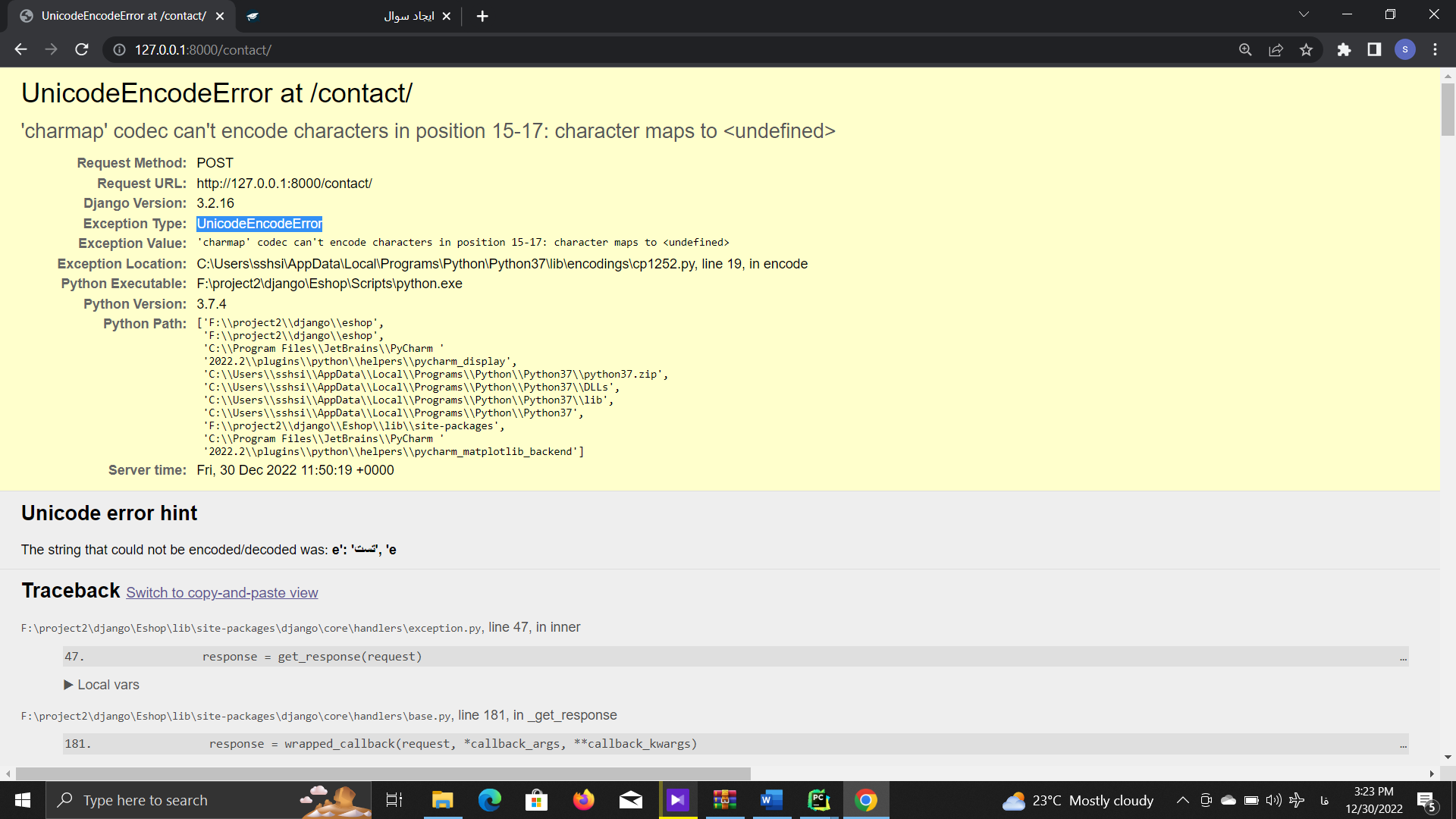
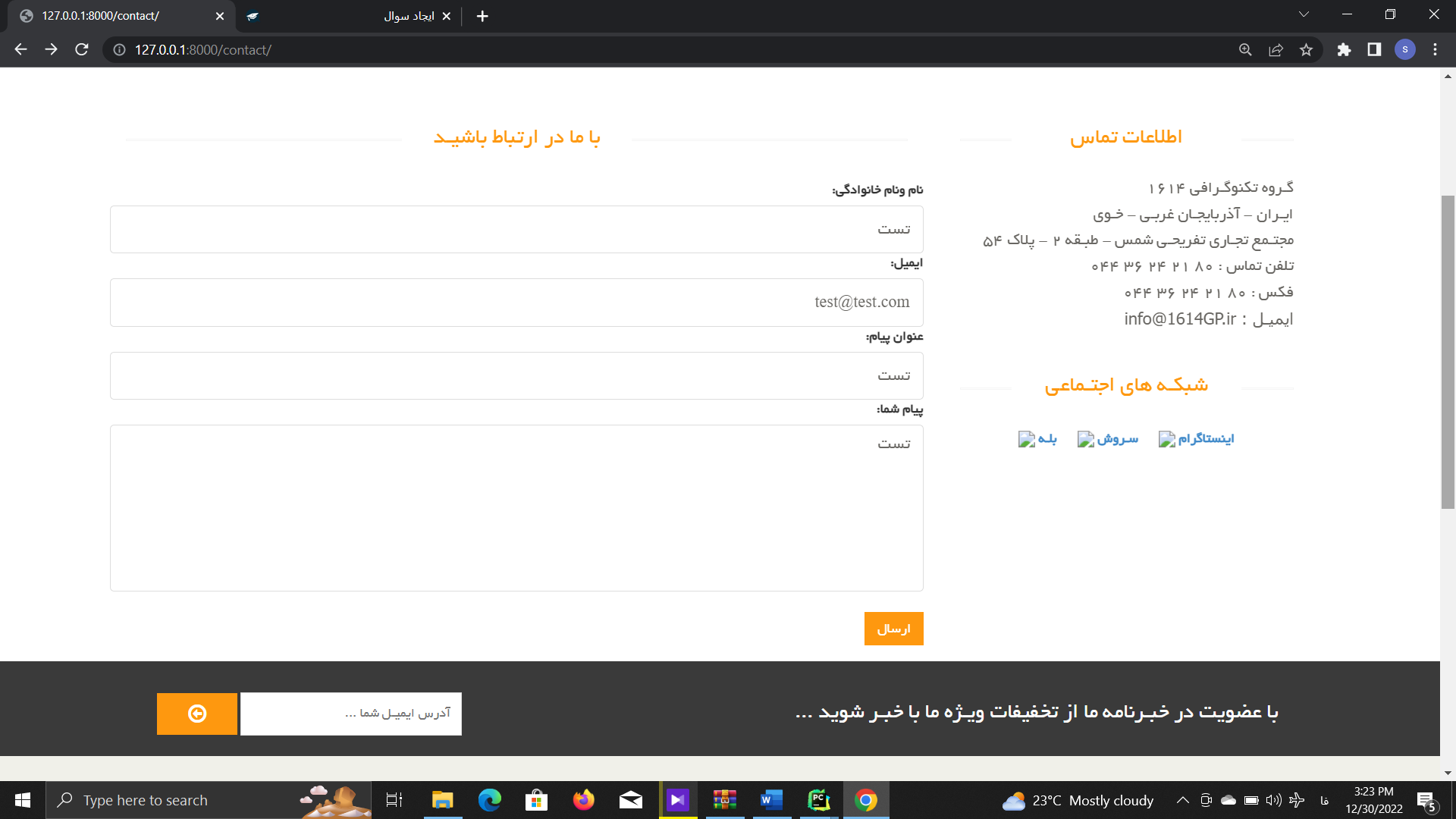
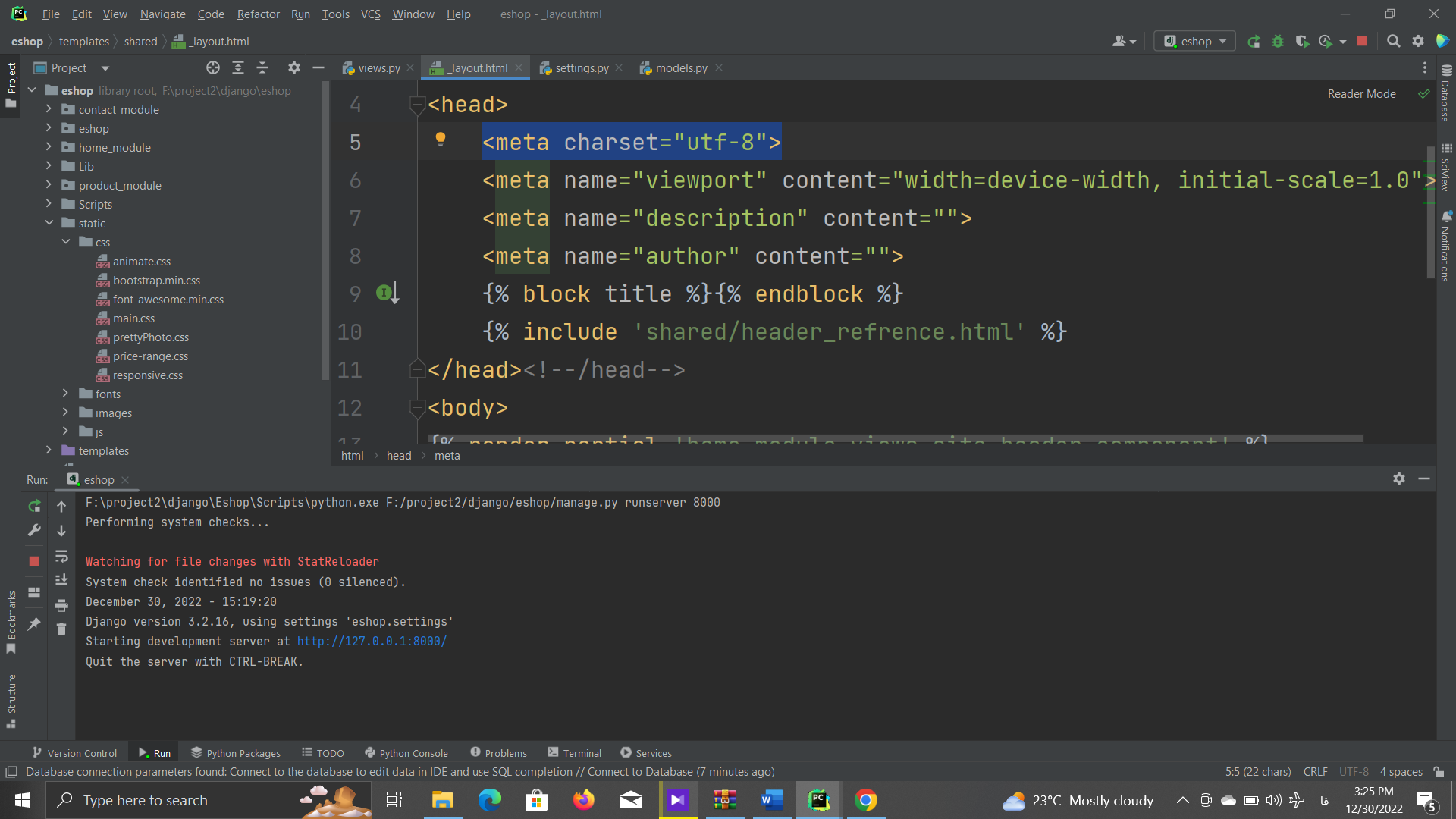
در فایل base.html هم تنظیمات utf-8 هم انجام دادم ولی متاسفانه این مشکل برطرف نشده.لطفا راهنماییم کنید که چگونه این مشکل را برطرف کنم
باسلام.فایل setting
"""
Django settings for eshop project.

Generated by 'django-admin startproject' using Django 3.2.16.

For more information on this file, see
https://docs.djangoproject.com/en/3.2/topics/settings/

For the full list of settings and their values, see
https://docs.djangoproject.com/en/3.2/ref/settings/
"""

from pathlib import Path

# Build paths inside the project like this: BASE_DIR / 'subdir'.
BASE_DIR = Path(__file__).resolve().parent.parent


# Quick-start development settings - unsuitable for production
# See https://docs.djangoproject.com/en/3.2/howto/deployment/checklist/

# SECURITY WARNING: keep the secret key used in production secret!
SECRET_KEY = 'django-insecure-$+a4-^!_bq+d9j=m+ri%+&qt@gu7^ot%b)0pw-y1p-k*ts#xld'

# SECURITY WARNING: don't run with debug turned on in production!
DEBUG = True

ALLOWED_HOSTS = []


# Application definition

INSTALLED_APPS = [
    'django.contrib.admin',
    'django.contrib.auth',
    'django.contrib.contenttypes',
    'django.contrib.sessions',
    'django.contrib.messages',
    'django.contrib.staticfiles',
    'django_render_partial',
    'product_module',
    'contact_module',
    'home_module',

]

MIDDLEWARE = [
    'django.middleware.security.SecurityMiddleware',
    'django.contrib.sessions.middleware.SessionMiddleware',
    'django.middleware.common.CommonMiddleware',
    'django.middleware.csrf.CsrfViewMiddleware',
    'django.contrib.auth.middleware.AuthenticationMiddleware',
    'django.contrib.messages.middleware.MessageMiddleware',
    'django.middleware.clickjacking.XFrameOptionsMiddleware',
]

ROOT_URLCONF = 'eshop.urls'

TEMPLATES = [
    {
        'BACKEND': 'django.template.backends.django.DjangoTemplates',
        'DIRS': [BASE_DIR / 'templates']
        ,
        'APP_DIRS': True,
        'OPTIONS': {
            'context_processors': [
                'django.template.context_processors.debug',
                'django.template.context_processors.request',
                'django.contrib.auth.context_processors.auth',
                'django.contrib.messages.context_processors.messages',
            ],
        },
    },
]

WSGI_APPLICATION = 'eshop.wsgi.application'


# Database
# https://docs.djangoproject.com/en/3.2/ref/settings/#databases

DATABASES = {
    'default': {
        'ENGINE': 'django.db.backends.sqlite3',
        'NAME': BASE_DIR / 'db.sqlite3',
    }
}


# Password validation
# https://docs.djangoproject.com/en/3.2/ref/settings/#auth-password-validators

AUTH_PASSWORD_VALIDATORS = [
    {
        'NAME': 'django.contrib.auth.password_validation.UserAttributeSimilarityValidator',
    },
    {
        'NAME': 'django.contrib.auth.password_validation.MinimumLengthValidator',
    },
    {
        'NAME': 'django.contrib.auth.password_validation.CommonPasswordValidator',
    },
    {
        'NAME': 'django.contrib.auth.password_validation.NumericPasswordValidator',
    },
]


# Internationalization
# https://docs.djangoproject.com/en/3.2/topics/i18n/

LANGUAGE_CODE = 'fa-ir'

TIME_ZONE = 'UTC'

USE_I18N = True

USE_L10N = True

USE_TZ = True


# Static files (CSS, JavaScript, Images)
# https://docs.djangoproject.com/en/3.2/howto/static-files/

STATIC_URL = '/static/'
STATICFILES_DIRS=[
    BASE_DIR/'static'
]

# Default primary key field type
# https://docs.djangoproject.com/en/3.2/ref/settings/#default-auto-field

DEFAULT_AUTO_FIELD = 'django.db.models.BigAutoField'
باسلام واحترام
کد های قسمت model
from django.db import models

# Create your models here.

class contact_us(models.Model):
    title=models.CharField(max_length=300,verbose_name='عنوان پیام')
    email=models.EmailField(max_length=300,verbose_name='ایمیل')
    full_name=models.CharField(max_length=300,verbose_name='نام ونام خانوادگی')
    message=models.TextField(verbose_name='پیام')
    upload_file=models.ImageField(verbose_name='تصویر بارگذاری شده',null=True,upload_to='contact_us_images')
    created_date=models.DateTimeField(verbose_name='تاریخ ایجاد',auto_now_add=True)
    response=models.TextField(verbose_name='پاسخ به پیام',null=True)
    is_read_by_admin=models.BooleanField(default=False,blank=True,null=True,verbose_name='خوانده شده/نشده')

    def __str__(self):
        return self.title

    class Meta:
        verbose_name='پیام'
        verbose_name_plural='لیست پیام ها'
کد های forms.py
from django import forms
from .models import contact_us


class contact_us_form(forms.Form):
    full_name = forms.CharField(label='نام ونام خانوادگی',
                                required=True,
                                max_length=100,
                                error_messages={
                                    'required': 'please enter your name'
                                },
                                widget=forms.TextInput(attrs={
                                    'placeholder': 'نام ونام خانوادگی',
                                    'class': 'form-control'
                                })
                                )
    email = forms.EmailField(label='ایمیل', required=True, widget=forms.EmailInput(attrs={
        'placeholder': 'ایمیل',
        'class': 'form-control'

    }))
    title = forms.CharField(label='عنوان پیام', required=True, widget=forms.TextInput(attrs={
        'placeholder': 'عنوان',
        'class': 'form-control'
    }))
    message = forms.CharField(label='متن پیام', required=True, widget=forms.Textarea(attrs={
        'placeholder': 'متن پیام',
        'class': 'form-control',
        'id' : "message"
    }))
کد های view
def contat_us(request):
    contact_form = contact_us_form(request.POST or None)
    if request.method == 'POST':
        if contact_form.is_valid():
            print(contact_form.cleaned_data)
            contact=contact_us(
                full_name=contact_form.cleaned_data.get('full_name'),
                email=contact_form.cleaned_data.get('email'),
                title=contact_form.cleaned_data.get('title'),
                message=contact_form.cleaned_data.get('message')
            )
            contact.save()
            return redirect(reverse('home_page'))
    return render(request, 'contact_module/contact_us.html', {'contact': contact_form})
استاد مشکل رو پیدا کردم.مشکل از print داخل کد های view است که برای طیق جلسات جهت نمایش اطلاعات داخل کنسول استفاده کردم.ولی برای من این مشکل را بوجود آورده.آیا میتوان با تنظیماتی این مشکل را برطرف کرد؟
فکر نمیکنم بشه تنظیماتی رو برای این مورد در نظر گرفت چرا که دستورات تفسیر میشن و میشه براشون در زمان تفسیر تنظیم خاصی در نظر گرفت



 مخصوص اعضای ویژه